Trusted By Leading VCs

What can your AI assistant do with Rundit data?

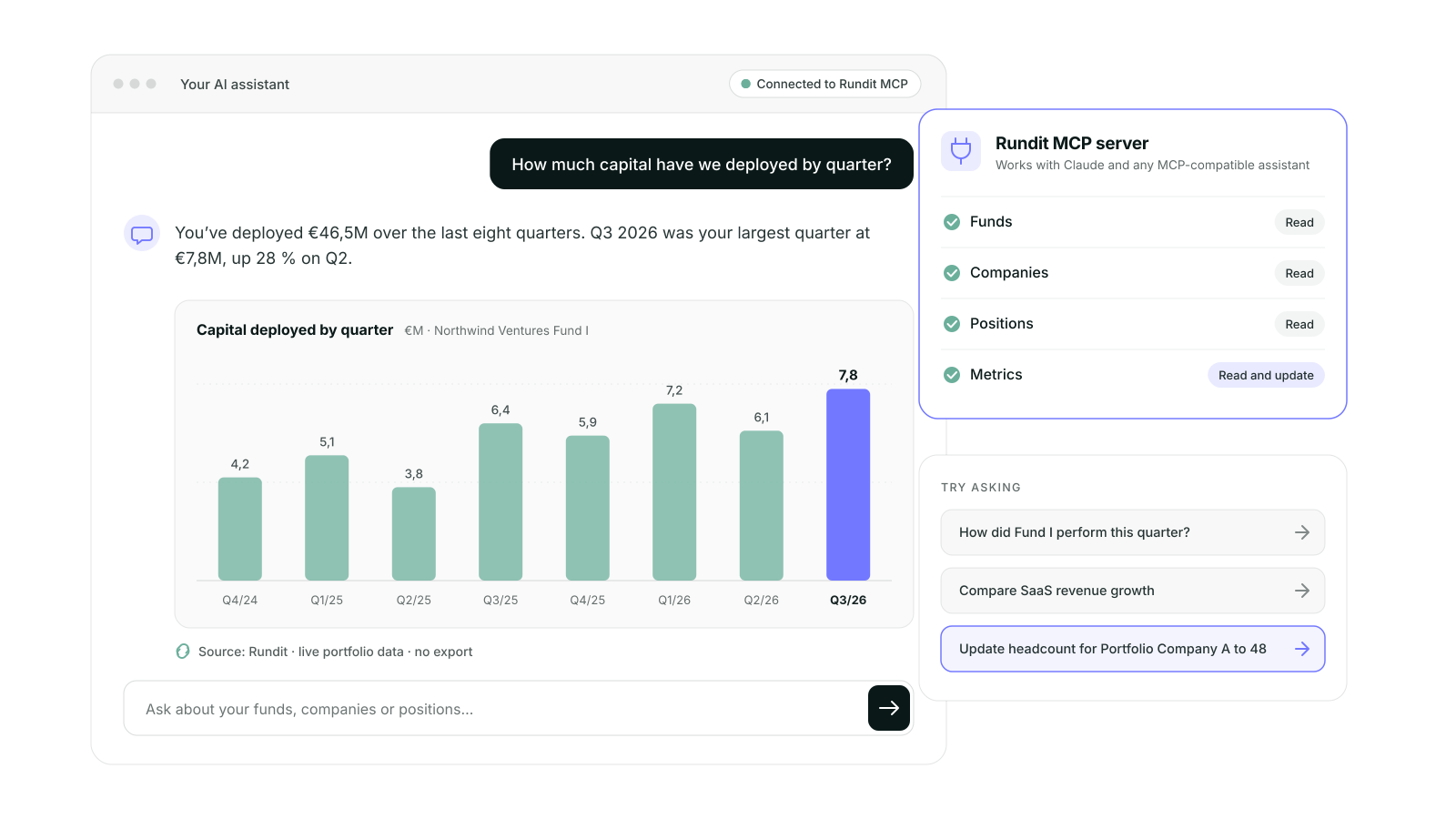
Through the Rundit MCP server, an AI assistant can read your companies, funds, transactions, positions, metrics and reports, and update your metrics. It only ever sees and changes what your API key allows.

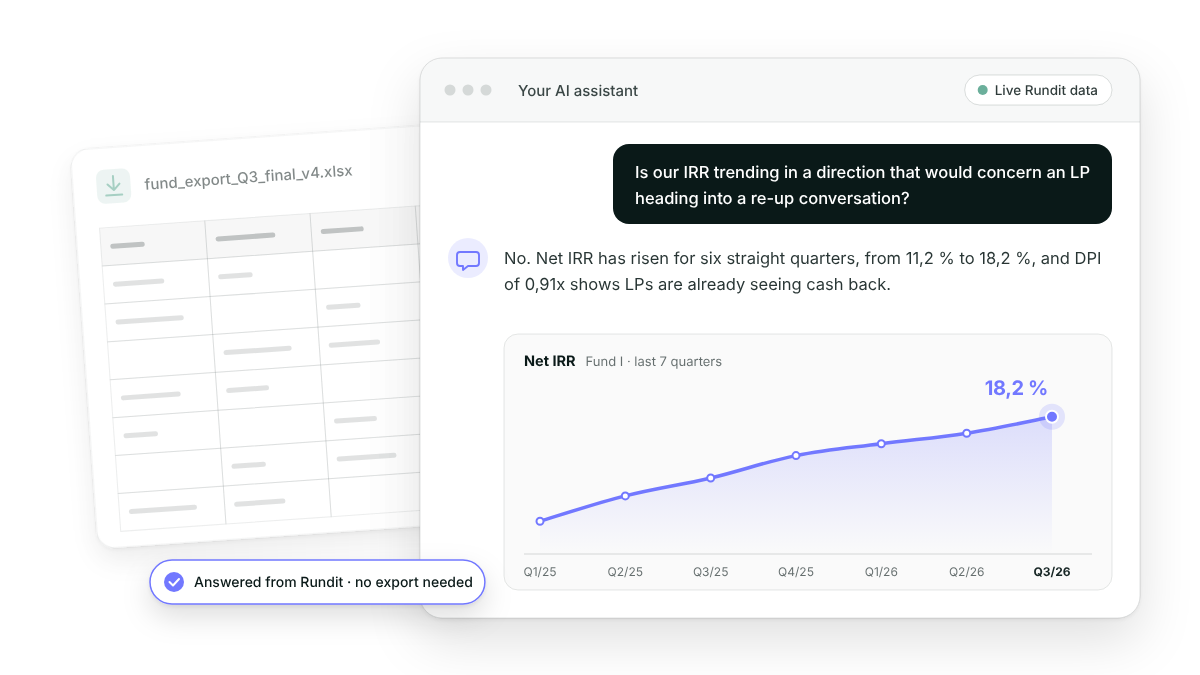
Ask, don't export

Stop pulling spreadsheets to answer a question. Ask in the assistant you already use and get the answer from live Rundit data, or tell it what to update and it updates Rundit.

Try asking, for example:
• "How did Fund II's portfolio perform this quarter?"
• "Compare revenue growth across our SaaS companies over the last four quarters."
• "Show me the transaction history for [company]."

How do I connect my AI assistant to Rundit?

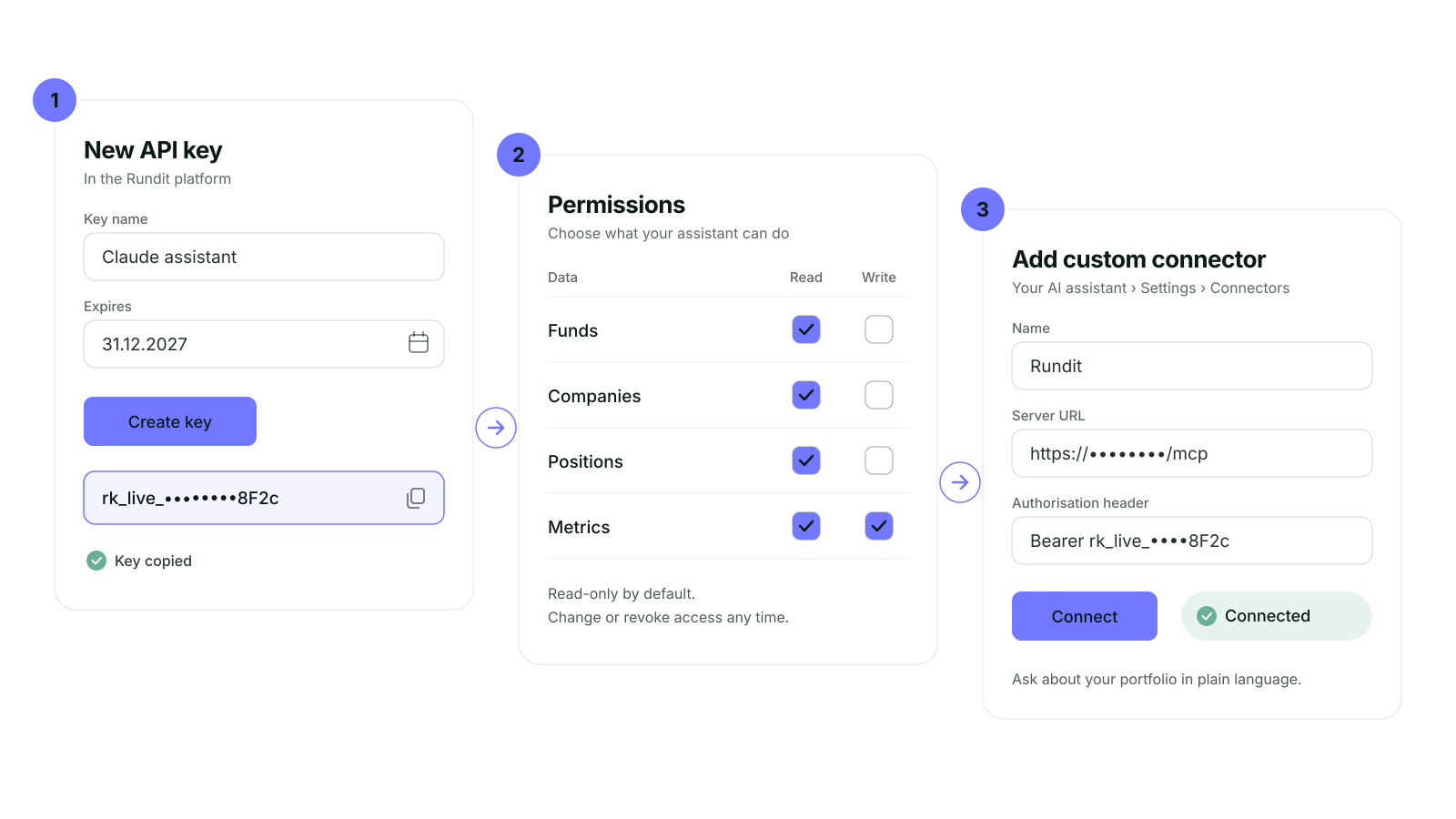
Create a personal API key, choose what it can read and write, and add the server to your assistant.
1. In Rundit platform, create a key and set an expiry date if needed.
2. Choose permissions. Tick read or write for each type of data.
3. Connect your assistant. In claude.ai or Claude Desktop, go to Settings → Connectors, add a custom connector with the server URL, and paste your key as the authorisation header.

Using Claude Code, Cursor, Windsurf or VS Code?
View instructions in Rundit platform and copy the ready-made command or config.

Building your own AI tool or workflow?

The MCP server and the TypeScript SDK (@rundit-sdk/client) are building blocks for teams that want to go further. Before you build from scratch, read what we learned about the hidden cost of vibe coding.

What Customers
say about us

Ana Pinheiro

Operations Manager @MSM
“Rundit makes my life so much easier. It's a source of truth for our portfolio KPIs."

Peter Wamburu

Vice President @VestedWorld
“We’d strongly recommend Rundit to other fund managers looking to bring order to their day-to-day portfolio management.”

Diogo Cristofolini

Investment Analyst @Katapult
“Customer support is responsive whenever our companies and we need. This has been an amazing experience and a great value that we get from Rundit.”

Kristina Lunnas

CFO & Operations Director @Inventure
“Using Rundit saves us time, as we are able to pull out all portfolio data from one place instead of dealing with multiple different excel files.”

Tommaso Condulmari

Data Analyst @P101 Ventures
"The interactive LP report has helped us reduce our report compilation time by nearly 50%."

Vincent Lepreux

Investment Principal @Debiopharm
"Overall, Rundit is an efficient, simple, and reliable tool that allows me to save a massive amounts of time compared to spreadsheets. I am now able to easily monitor our investments and extract data or prepare reports in a matter of seconds."

Peter Wamburu

Vice President @VestedWorld
“Our LPs have been impressed by the professional formatting of our reports, and the flexibility to access information in a variety of formats: online dashboards, PDF, or Excel.”

Elena Pikulina

Associate @Relay Ventures
“Rundit's dashboards save me at least three hours from preparing internal reports every Friday.”

Ana Pinheiro

Operations Manager @MSM
"I used to hate preparing quarterly reports, spending hours going through every slide of a PowerPoint and every tab of an Excel sheet. Rundit’s Interactive LP report has been a game-changer for us.”

Heikki Härkönen

Managing Director @Reaktor Fusion CVC
"When our portfolio grew, we realized that we wanted to have a portfolio management tool to help us manage all the portfolio data. The complexity of multiple spreadsheets was too time-consuming. Rundit’s good UX and the set of features were the reason why we got to choose Rundit."

Vuyo Mzini

Head of Portfolio @Launch Africa
"Rundit lets everyone focus less on data collection and more on insight and value creation."

Connect your AI tool with our MCP server